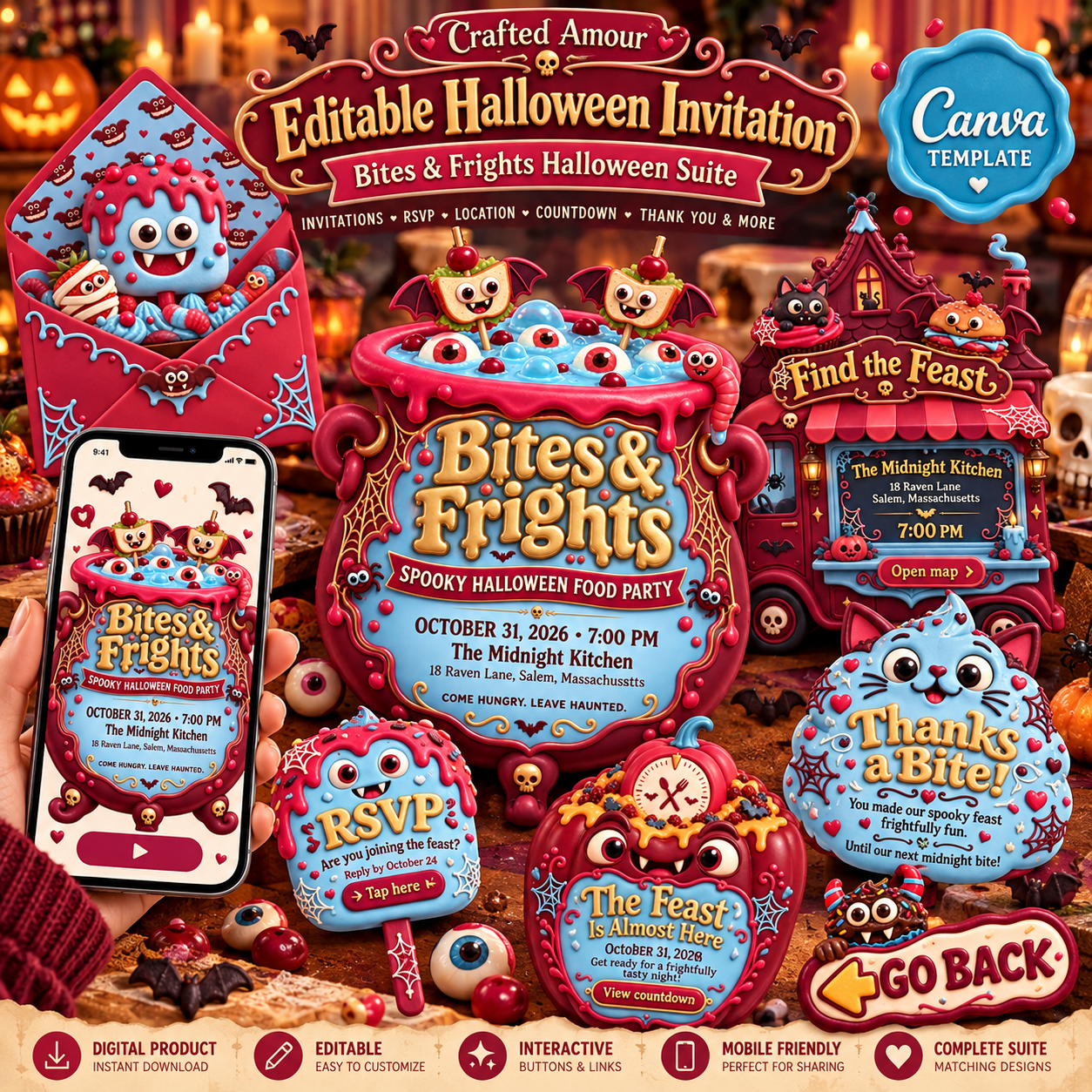
Get ready for a frightfully fun feast filled with spooky bites, playful monsters, and Halloween mischief. The Bites & Frights Halloween Digital Invitation Suite was created for Halloween parties that are equal parts creepy, colorful, and delicious. Featuring whimsical monster foods, candy-inspired colors, bats, spiderwebs, eyeballs, pumpkins, and playful details, this coordinated invitation experience is perfect for a Halloween food party, spooky dinner, family gathering, or festive October celebration. Designed as an interactive Canva website invitation, your guests can access the party details from one convenient link on their phone, tablet, or computer. No printing is required, and the coordinated layout keeps everything your guests need in one fun and memorable digital experience.
WHAT’S INCLUDED
Your coordinated Halloween invitation includes:
- Main Halloween Invitation
- RSVP Section
- Location / Google Maps Section
- Countdown Section
- Thank You Section
- Interactive Navigation Buttons
- Go Back Navigation Button
- Mobile-Friendly Digital Layout
- One-Link Sharing Experience
- Coordinated envelope artwork
- Matching Halloween Design Elements Throughout the Invitation The decorative backgrounds, characters, food illustrations, monsters, bats, spiderwebs, eyeballs, and coordinating artwork shown throughout the design are already incorporated into the invitation and are not provided as separate graphics or asset packs.
INTERACTIVE FEATURES
The design includes:
- Interactive RSVP access
- Direct Location / Google Maps link
- Clickable navigation elements
- Countdown section
- Easy section-to-section navigation
- Mobile-friendly viewing
- One convenient digital link
- Easy sharing by text, email, or messaging apps
PERSONALIZE IN CANVA
You will personalize your own party information directly in Canva using the instructions provided. Edit details such as:
- Event name
- Date
- Time
- Party location
- RSVP information
- Countdown date
- Thank-you message
- Other editable text included in the template The decorative wording, illustrated artwork, character designs, layout, and coordinated visual style are intended to remain part of the original design.No advanced design software is required. A free Canva account can be used to access and personalize the template.
HOW IT WORKS
Purchase the digital invitation. Download the PDF provided after checkout. Open the Canva template access link. Personalize your event information. Publish your Canva website. Share the invitation link with family and friends.
NEED HELP? WE’RE HAPPY TO ASSIST
Your purchase includes clear instructions explaining how to access, personalize, publish, and share your digital invitation in Canva. If you experience difficulty with:
- Accessing your Canva template
- Opening the template link
- Understanding the provided editing instructions
- Navigating the interactive invitation
- Publishing your Canva website
- Sharing your finished invitation You are welcome to contact us at craftedamour@gmail.com with your order information and a brief description of the issue. Screenshots are helpful whenever possible. We are happy to provide reasonable guidance and troubleshooting to help you use the template successfully.
SHARE IT INSTANTLY
Once customized, your invitation can be shared through:
- Text message
- Email
- WhatsApp
- Messenger
- Social media
- Mobile link
IMPORTANT DETAILS
Digital product only
- No physical item will be shipped
- Canva account required
- Compatible with free or Canva Pro accounts
- Designed primarily for digital use
- Personal use only
- Final colors may vary slightly between screens
- Decorative illustrations and graphic elements are part of the finished design and are not sold separately
CUSTOMER EDITING RESPONSIBILITY
This is a self-editable Canva template. The customer is responsible for entering and updating all personal event information, including names, dates, times, locations, RSVP details, and any other editable event information. Crafted Amour does not personalize, complete, or edit the invitation on the customer’s behalf. Customer support is limited to guidance regarding template access, basic functionality, and the editing process. Support does not include:
- Entering event information for you
- Personalizing the invitation on your behalf
- Custom redesign services
- Extensive layout modifications
- Rewriting your event wording
- Canva training or one-on-one design services
- Creating additional custom pages or sections unless separately purchased
COPYRIGHT & LICENSE
You may not:
- Resell the template
- Redistribute the template or access link
- Share the editable template with others for commercial purposes
- Extract and resell individual artwork or design elements
- Claim the artwork or template as your own
- Use the design to create products for resale Detailed instructions are provided so you can personalize your invitation directly in Canva.
DIGITAL PRODUCT & REFUND POLICY
Please review the product description, listing images, included features, and Canva requirements carefully before purchasing. Because this is a digital product delivered electronically with immediate access to the template, all sales are final and refunds, returns, or exchanges are not offered once the digital product has been delivered or accessed, except where required by applicable law. Refunds will not be provided due to:
- Change of mind after purchase
- Lack of familiarity with Canva
- Difficulty editing or personalizing the template
- Purchasing the wrong product
- Deciding not to use the invitation
- Compatibility issues resulting from the customer’s device, browser, internet connection, or Canva account
- Failure to read the product description or included instructions before purchasing © Crafted Amour. All Rights Reserved.